Leading 5 Playstore Emulators For Pc
Enjoy Android apps and games on your PC with these top emulators for a seamless Playstore experience.
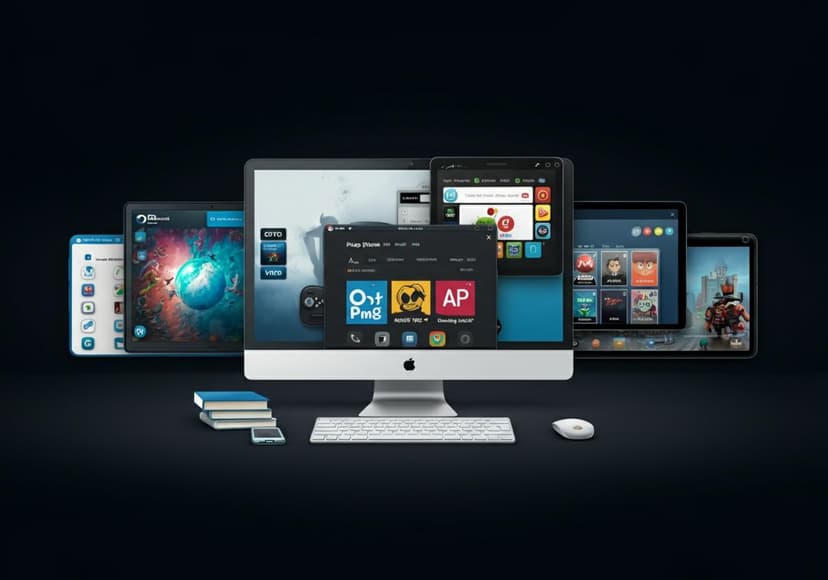
Are you a fan of Android gaming and want to enjoy your favorite Android apps on PC? Well, you’re in luck! In this blog post, we'll explore the top Playstore emulators that will allow you to run Android applications seamlessly on your computer. From gaming to productivity apps, these options have got you covered. Let’s dive in!
What is a Playstore Emulator?
A Playstore emulator is a software application that mimics the Android operating system on your PC, enabling you to install and run Android apps just like you would on a smartphone or tablet. With the best Android emulator, you can access the [Google Play Store](https://play.google.com/store/games?hl=en_US) and download your favorite apps directly to your computer. It’s a game-changer for those who prefer a larger screen and the comfort of a keyboard and mouse!
1. Bluestacks: The King of Android Emulators
Bluestacks is arguably the most popular Android emulator for PC, boasting a user-friendly interface and a robust performance. It supports multiple instances, meaning you can run several apps simultaneously! Whether you want to engage in intense Android gaming or use productivity apps, Bluestacks situates itself as a versatile option.
Plus, it allows you to synchronize apps with your Android device, ensuring everything is tailored to your preferences. Its compatibility with a wide range of apps makes it a solid option for anyone looking to enjoy Android on PC.
2. NoxPlayer: Gaming Focused Emulator
NoxPlayer is a top contender for gamers striving for a smooth experience in their Android gaming adventures. This emulator is loaded with features specifically aimed at gaming enthusiasts, such as keyboard mapping, multiple instances, and precise graphics optimization.
If you are into competitive gaming, NoxPlayer lets you fine-tune your setup with ease, ensuring you have a pleasant gaming experience. So if you're considering an emulator download that elevates your Android gaming performance, look no further.
3. MEmu Play: User-Friendly and Powerful
MEmu Play is another excellent Android emulator for PC that stands out for its simplicity and speed. It's designed to support both Intel and AMD processors, which gives it a leg up when it comes to compatibility. Users have praised MEmu for its ease of use and clean interface, making it great for beginners diving into Android apps on PC.
You can also play multiple games or run various apps simultaneously—perfect for multitaskers! With MEmu Play, the Android apps on PC experience is seamless and enjoyable.
4. LDPlayer: Performance Meets Flexibility
LDPlayer is a great choice for players who want to experience smooth gaming but without any lag. This emulator focuses on performance optimization, ensuring that Android games run with minimal disruptions.
Its customizable settings allow you to adjust various aspects to better suit your personal preferences, which speaks to its flexibility as an Android emulator. Although LDPlayer is elements towards gamers, it’s also suitable for those using productivity apps, showcasing its versatility.
5. Gameloop: Tailored for Gamers
Last but not least, we have Gameloop, which has been developed by Tencent, mainly for playing mobile games on PC. If you're an avid player of games like PUBG Mobile or Call of Duty Mobile, this emulator is specifically tailored for you.
Gameloop offers an efficient control scheme, ensuring that you can dominate in games with keyboard and mouse controls. Its exclusive features are specifically tuned for developers and gamers, making it one of the best options out there for Android gaming on PC.
How to Choose the Best Android Emulator
When selecting the best Android emulator, consider several factors such as compatibility, ease of installation, performance, and features specific to your needs. Different users may prefer different aspects based on whether they prioritize gaming, productivity, or casual app use. Take your time sifting through options! Be sure that the emulator you select suits your personal taste—compatibility with your apps is key.
For additional guidance on managing your apps, you can visit this link for help with removing apps on PC from your Google Play Store account: Remove Apps from Google Play Store.
Final Thoughts
The world of Android on PC is vast and full of exciting possibilities. Whether you prefer Bluestacks, Noxplayer, MEmu Play, LDPlayer, or Gameloop, you can rest assured that there’s an emulator that fits your needs. With these tools at your disposal, the Android apps on PC experience has never been better!
So, what are you waiting for? Embrace the power of Android gaming and all its applications on your PC today!
For convenience, you can find the official [Windows apps manager](https://play.google.com/store/apps/details?id=com.microsoft.appmanager&hl=en_US) to help you manage your installations. Happy gaming!
Posts Relacionados
5 Ways To Streamline Your Marketing Efforts
Automated Marketing Platforms can enhance efficiency, boost lead generation, and improve campaign performance for greater results.
Antivirus Software Comparison Guide
It analyzes various antivirus software. Features, security, and performance ratings are compared for optimal protection.
Aura Antivirus Performance Review
The antivirus effectively defends against malware. Its performance is commendable, providing reliable protection for users.